Use these instructions to manually export your holdings files from EZB for BrowZine.
1) Open the Export Tool
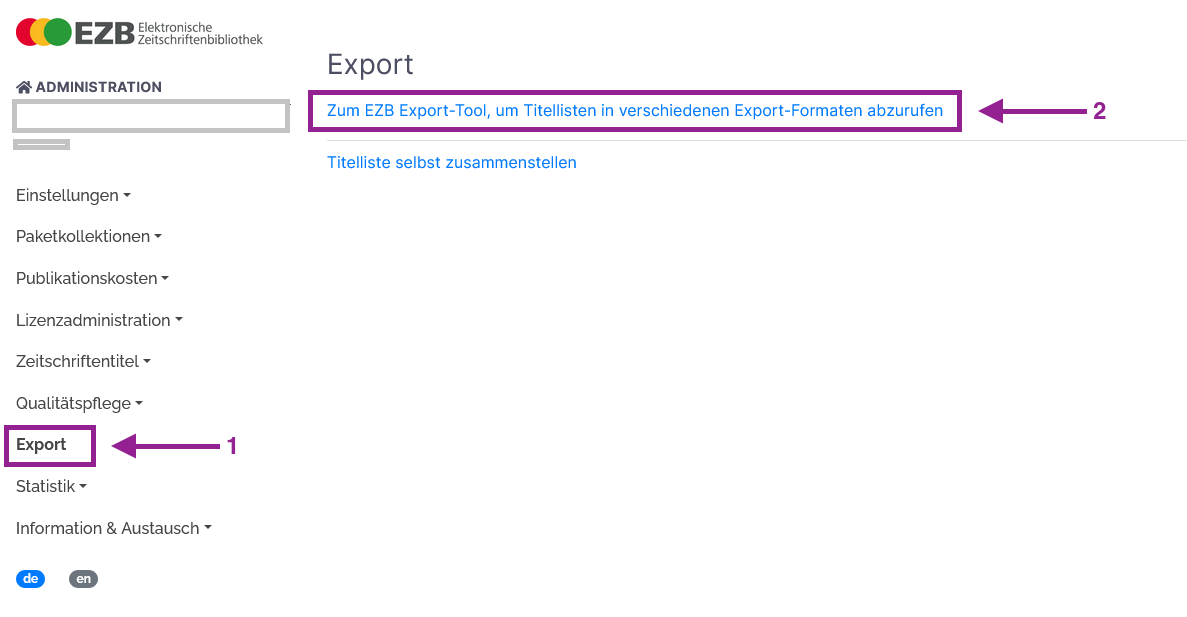
Click “Export” in the left-hand menu, then select:
“Zum EZB Export-Tool, um Titellisten in verschiedenen Export-Formaten abzurufen”
2) Select the correct export format
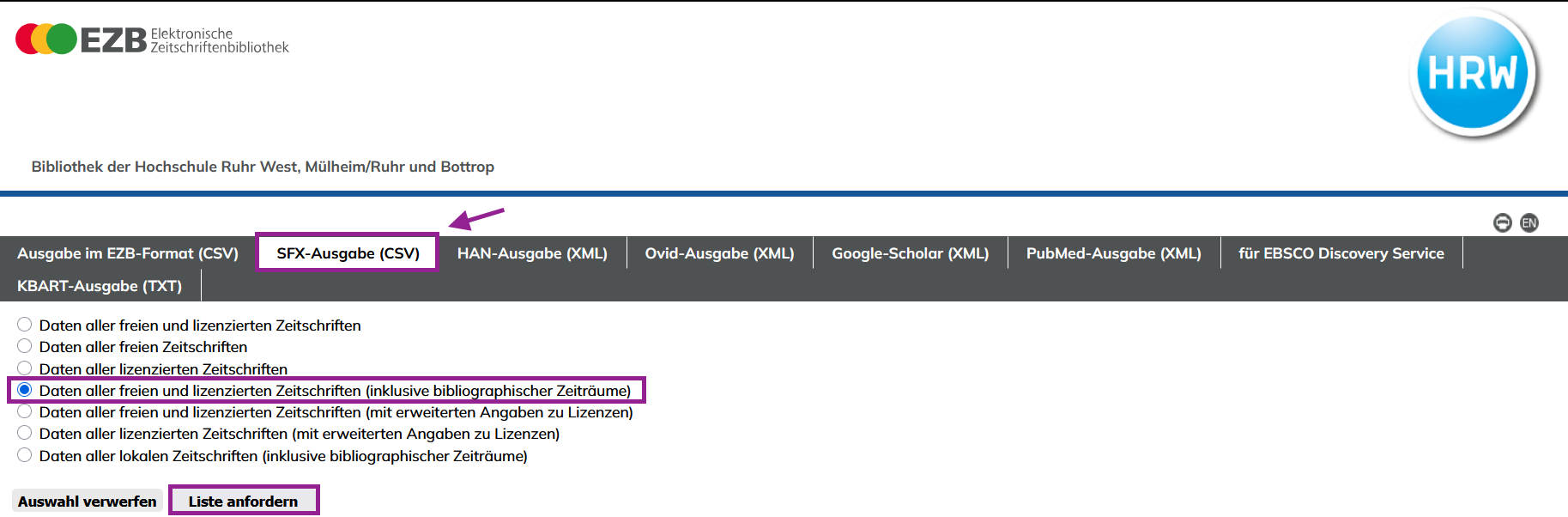
- Choose “SFX-Ausgabe (CSV)”
- Select:
“Daten aller freien und lizenzierten Zeitschriften (inklusive bibliographischer Zeiträume)” - Click “Liste anfordern”
3) Upload the file
With the CSV downloaded, please ZIP the file to compress it and then upload it to us via this website:
If you have any questions, please contact us at support@thirdiron.com